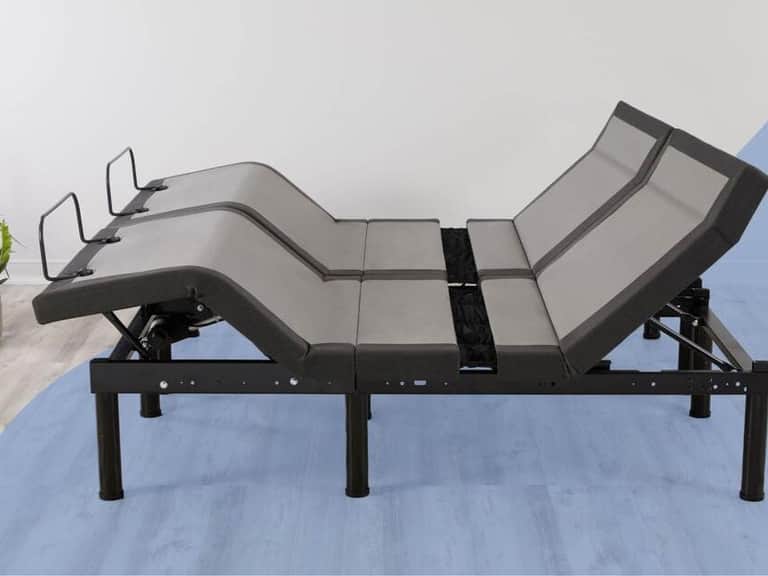
How to Set Up an Ergonomic Workspace: A Practical Guide to Adjustable Desks and Chairs
A thoughtful, evidence-informed approach to creating a comfortable, productive environment using adjustable furniture. Explore mechanisms, setup steps, and the stories of three pivotal figures who shaped our understanding of posture, space, and human-centered design.
A Brief Overview: The Why of Adjustability
In the quiet rhythms of everyday work, the body reminds us that a one-size-fits-all setup rarely serves long-term health or performance. The adjustable desk and chair are not mere furniture; they are ergonomic tools that honor neutral spine alignment, reduce cumulative strain, and accommodate shifting tasks with dignity. This guide offers practical steps to evaluate and configure your workspace, with a focus on accessibility, durability, and ease of use.
The conversation around adjustability intersects with physiology, design thinking, and workplace culture. It invites us to consider reach zones, monitor alignment, seating support, and the dynamic posture of a modern day spent in front of screens. Below, we unpack mechanisms, measurements, and setup routines that empower individuals to tailor their environment to their own bodies and workflows.
Key Mechanisms Behind Adjustment: What It Takes to Move with Purpose
Adjustable furniture relies on a few core mechanisms that translate intention into movement. While the details can vary by manufacturer, some high-level themes recur across desks and chairs:
- Gas spring and pneumatic lift systems: Smooth vertical movement that supports incremental height changes without abrupt jolt.
- Manual cranks and lever-based adjustments: Direct control for precise positioning, often used in older or more budget-conscious designs.
- Inline joints and pivoting hinges: Allow tilt, recline, or arm support adjustments while maintaining structural integrity.
- Ergonomic feedback and lockable positions: Secure settings at commonly useful heights and angles to encourage consistent posture.
A high-level evaluation of these mechanisms emphasizes ease of use, stability, and durability. When evaluating a desk or chair, look for quiet operation, a balanced feel across both height and tilt adjustments, and a reliable locking system that preserves your chosen position under typical loads. The goal is a system that invites movement rather than resisting it.
Practical Setup: Step-by-Step for a Healthy, Efficient Workspace
Implementing an ergonomic workspace begins with measurement and aims for a neutral alignment that reduces strain across the neck, shoulders, and lower back. The following steps provide a pragmatic blueprint you can adapt to your room, device assortment, and daily tasks.
- Evaluate your baseline: Sit tall with your feet flat on the floor, knees at roughly 90 degrees, and forearms resting comfortably on the desk surface. Note where your eyes fall relative to the top of the monitor.
- Desk height: For a typical desk setup, raise the desk so that your elbows rest at about a 90-degree angle when your hands hover over the keyboard. The wrists should be straight, not angled, during typing.
- Monitor placement: Position the monitor so the top edge is slightly below eye level and about an arm’s length away. The center of the screen should align with your line of sight to minimize head tilt.
- Chair fit: Adjust the chair height so your feet rest flat and your thighs are parallel to the floor. A slight tilt of the seat is sometimes beneficial for hip alignment; always ensure your lower back is supported by the chair’s lumbar region.
- Reach zones and peripherals: Keep frequently used devices within an easy reach to reduce excessive stretching. Keyboard and mouse should align with your shoulder line so your elbows stay close to the body.
- Dynamic posture: Alternate between seated, standing, and stepping in place or walking breaks. Movement is a cornerstone of long-term comfort and performance.
Beyond the mechanical setup, the environment matters. Consider lighting that reduces glare on screens, temperature and air quality, and the acoustics of your space. A calm, organized environment supports sustained focus and reduces cognitive load, enabling your adjustability to be a daily, practical practice rather than a one-off adjustment.
Three Pivotal Figures: Perspectives Across Time
In shaping our understanding of ergonomic comfort and adaptable workspaces, three figures stand out. Each represents a different era, each contributed a unique lens, and each reminds us that how we sit and how we set our space matters to our health and work. Their ideas converge on the idea that the body should guide the design of the space, not the other way around.
-
Florence Nightingale (1820–1910): The Founder of Modern Ergonomic Insight
Nightingale’s work in hospital design and environmental health laid early groundwork for understanding how physical surroundings impact well-being. Her focus on air, light, cleanliness, and the shaping of environments set a precedent for designing spaces that support health, even before the term ergonomic existed. In a broader sense, Nightingale’s approach embodies the belief that space should be structured to reduce unnecessary strain and improve outcomes, a core idea mirrored in modern ergonomic baselines: proper lighting, comfortable seating, and adaptable surfaces that reduce physical stress.
-
Frank Lloyd Wright (1867–1959): The Human-Centered Designer of Space and Form
Wright’s architectural philosophy emphasized harmony between human activity and the built environment. His sensibility for scale, proportion, and flow—how people move through spaces—touches on the same axis as ergonomic work: the arrangement of spaces and tools to facilitate seamless action. In the context of adjustable desks and chairs, Wright’s ideal of designing environments that support natural movement informs how we structure task zones, reach, and postural transitions within a workspace.
-
W. David King (late 20th century): The Advocate for Evidence-Based Workplace Ergonomics
King’s era reflects a shift toward empirical research in comfort and productivity. He highlighted how posture, seating support, and desk configurations influence task performance and long-term health. His stance—grounding recommendations in data—echoes today’s emphasis on measuring monitor height, chair support, and desk reach to create an evidence-based, adaptable environment for diverse users.
Product Spotlight: A Thoughtful Addition to an Ergonomic Studio
A practical workspace benefits from well-chosen furnishings that symbolize the principles described above. Consider this item, which aligns with a thoughtful, user-centric approach to storage and organization within a refined, ergonomic space.
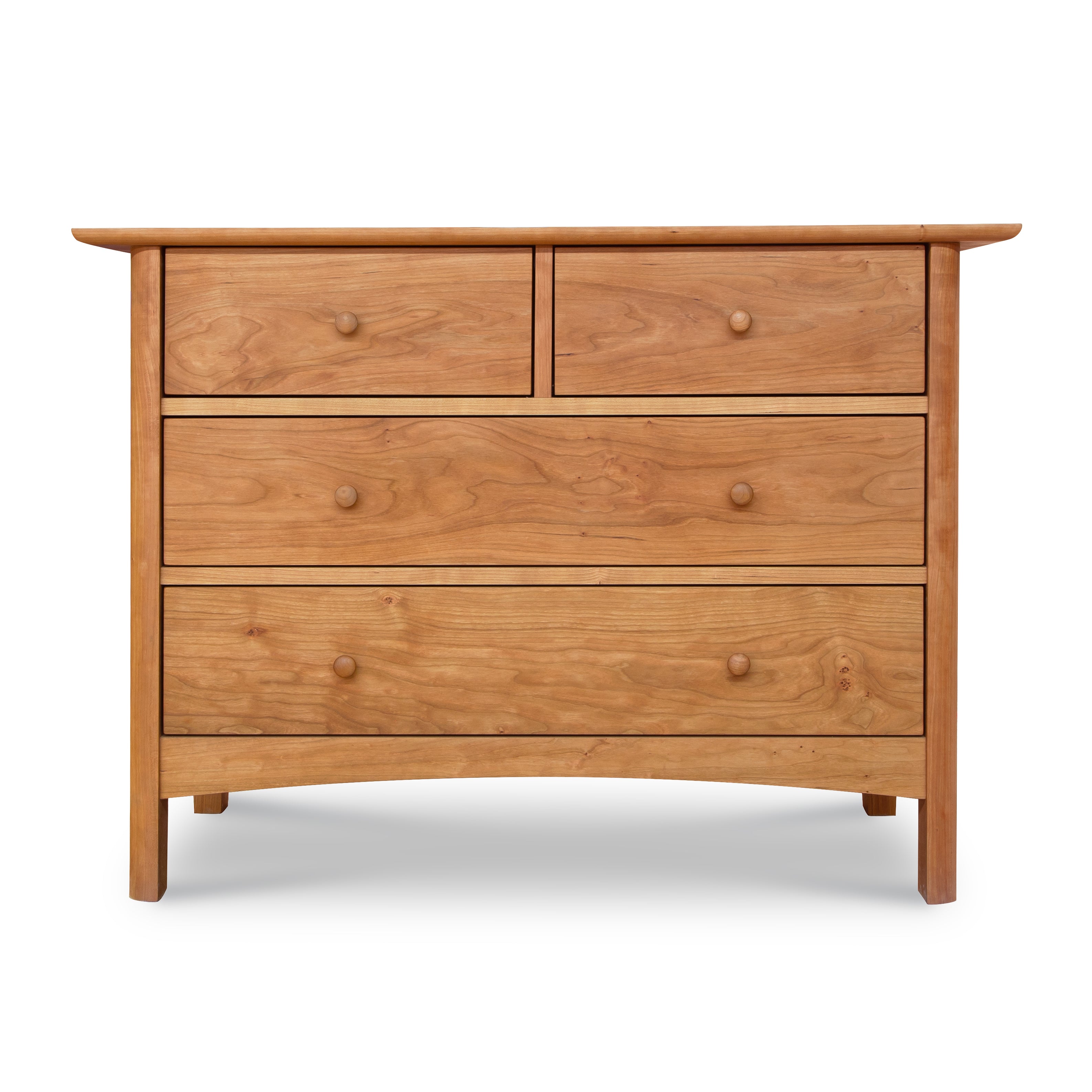
Heartwood Shaker 4-Drawer Dresser
Solid wood, handcrafted to order in Vermont. Natural Cherry, Natural Maple, or Natural Walnut with an eco-friendly oil finish. A refined storage solution that embodies durable, heirloom-quality design.
Crafted for longevity. Two small drawers over two wide ones deliver organized storage with a timeless silhouette.
This dresser exemplifies how form and function can co-exist in a space that prioritizes comfort and order. In an ergonomic studio, furniture should support a range of movements and tasks, from quick access to supplies to quiet moments of focus. A well-placed dresser near your workstation can help keep essential tools within reach while maintaining a clean visual field that reduces cognitive clutter.
Design Philosophy
Timeless lines, solid joinery, and a finish that respects the wood’s natural grain echo the calm and predictable environment recommended for long work sessions.
Practical Note
When pairing storage with an ergonomic workspace, consider placement that minimizes reaching and supports posture. A dresser can serve as a visual anchor and storage anchor in a compact office, especially in rooms where space is a premium.
A Roadmap to Your First 30 Minutes of Set-Up
To translate theory into practice, dedicate a focused half hour to your first ergonomic assessment. The following 30-minute audit is designed to help you achieve a balanced, comfortable baseline, after which you can refine settings over days and weeks.
- Set the desk height to align elbows at about a 90-degree angle while typing.
- Position the monitor so the top edge is just below eye level, at about an arm’s length distance.
- Adjust chair height for foot placement and lumbar support; ensure the spine maintains a natural curvature.
- Check keyboard and mouse placement to keep wrists in a neutral position.
- Incorporate short movement breaks to reduce sedentary strain, alternating between seated tasks and light mobility.
If you have an adjustable chair or desk with a locking mechanism, use it to secure your chosen configuration. The goal is not merely to change posture temporarily but to establish a stable baseline that invites ongoing refinement as your tasks evolve.
Glossary: Why Adjustability Matters
Ergonomics is a discipline built on precise language that helps us communicate about comfort and safety. Here are a few essential terms you’ll encounter as you design your space:
- Neutral spine alignment: The natural curvature of the spine without undue bending or twisting.
- Reach zone: The area within comfortable reach to minimize excessive body movement.
- Lumbar support: The portion of a chair that supports the lower back, critical for maintaining natural lordosis.
- Dynamic posture: The habit of alternating positions and movement to reduce fatigue.
Buying Guides and Use Guides: What to Look For
While the focus here is on education and practical setup rather than sales, understanding how to evaluate features helps you make informed choices when selecting an adjustable desk or chair. Consider these points:
- Mechanism quality: Smooth operation and durable locking. Test tilt and height adjustments if possible.
- Stability: A desk or chair should remain steady under typical loads to reduce micro-movements that strain joints.
- Ergonomic fit: Your body size and shape influence preferred heights, angles, and depths. A one-size-fits-all approach rarely suffices.
- Maintenance: Look for easy-to-clean surfaces and replaceable parts to extend the life of your furniture.
Think of adjustable furniture as a long-term investment in health and productivity. Your workspace should be adaptable enough to support days filled with focus, collaboration, and creativity.
Conclusion: A Living, Breathing Workspace
An ergonomic workspace is a dynamic system that respects the body and adapts to the demands of modern life. It invites movement, supports posture, and reduces fatigue, enabling you to harness your best hours—whether you’re drafting a report, coding, or studying for exams. The lessons of Nightingale, Wright, and King endure in today’s design lexicon: spaces must serve people, not the other way around. In that spirit, an adjustable desk and chair are not mere utilities—they are gateways to a healthier, more productive daily life.